Demo · not open for live business
The Cuttleflow Marketplace is being built with the brokers and markets who will use it. It is not open for live business, and nothing on these pages or in the demo is a quote, an offer or cover. Cuttleflow Pty Limited does not hold an AFSL and does not issue, arrange or advise on insurance products. Each class opens only when its opening conditions are met, including licensing advice.
See how it works
Six stages, each from the broker’s side and the underwriter’s.
Every screen below is from the Cuttleflow Marketplace demo, on fictional clients, risks and markets. Each stage is labelled with where it stands today.
1. Win the client
Own channels in the demo; public leads in developmentBroker
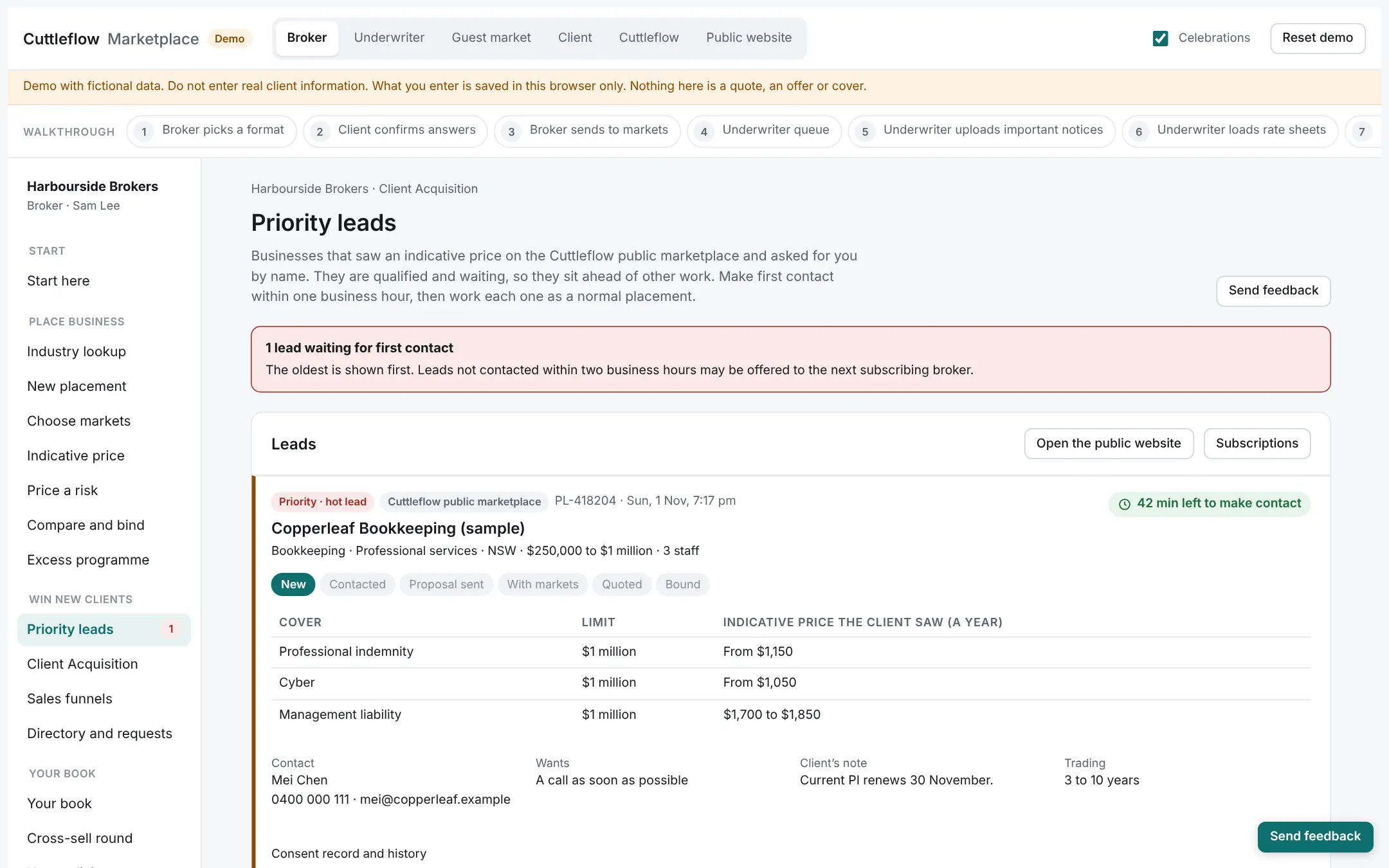
A priority lead arrives from the public marketplace with the business’s answers, the price it saw, its consent and a one-hour response timer. Or you bring your own client through your branded links, forms and website.
Underwriting agency
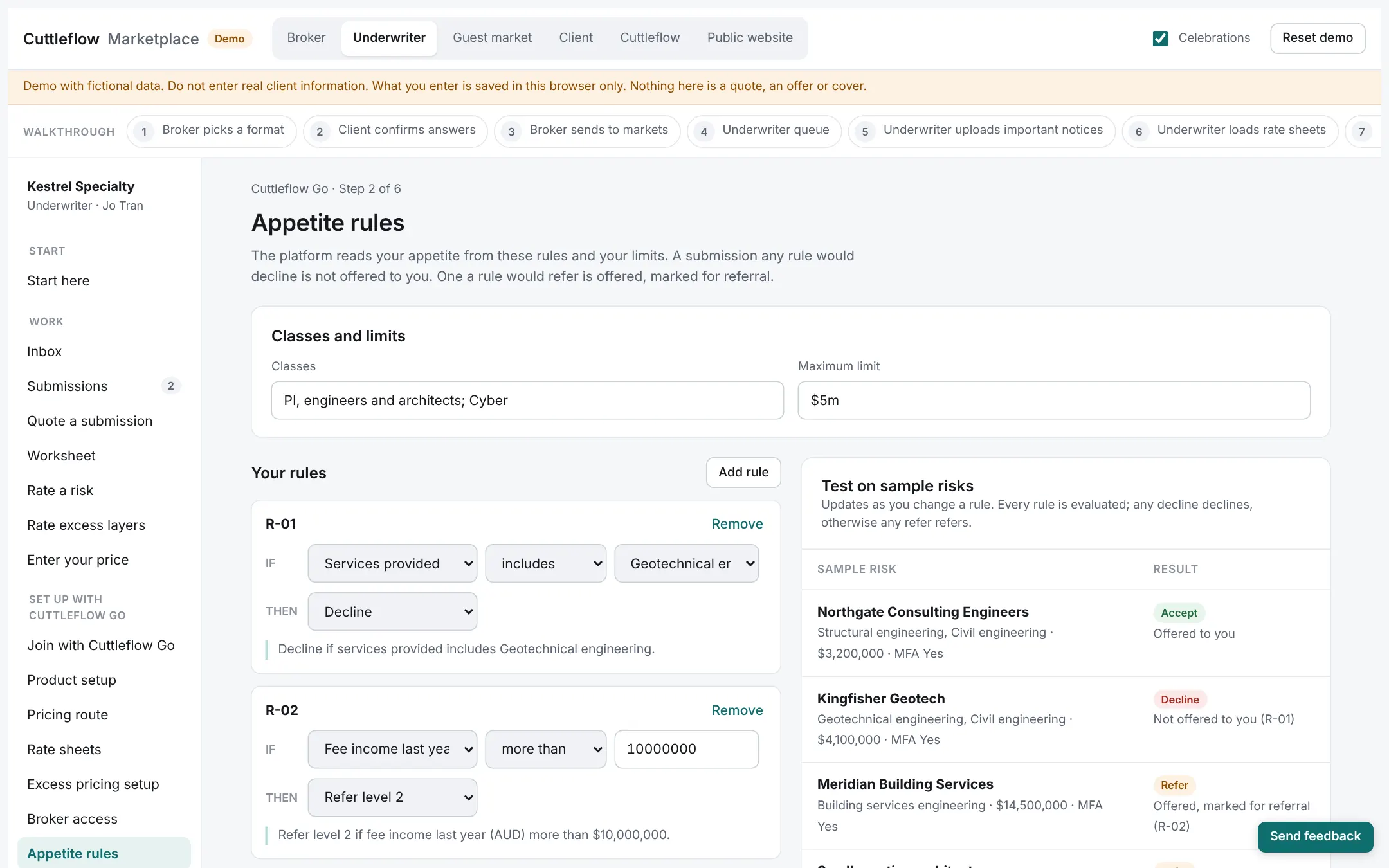
Your appetite rules already decide which risks will reach you. Nothing your rules exclude reaches your inbox.
2. Capture the risk
In the demoBroker
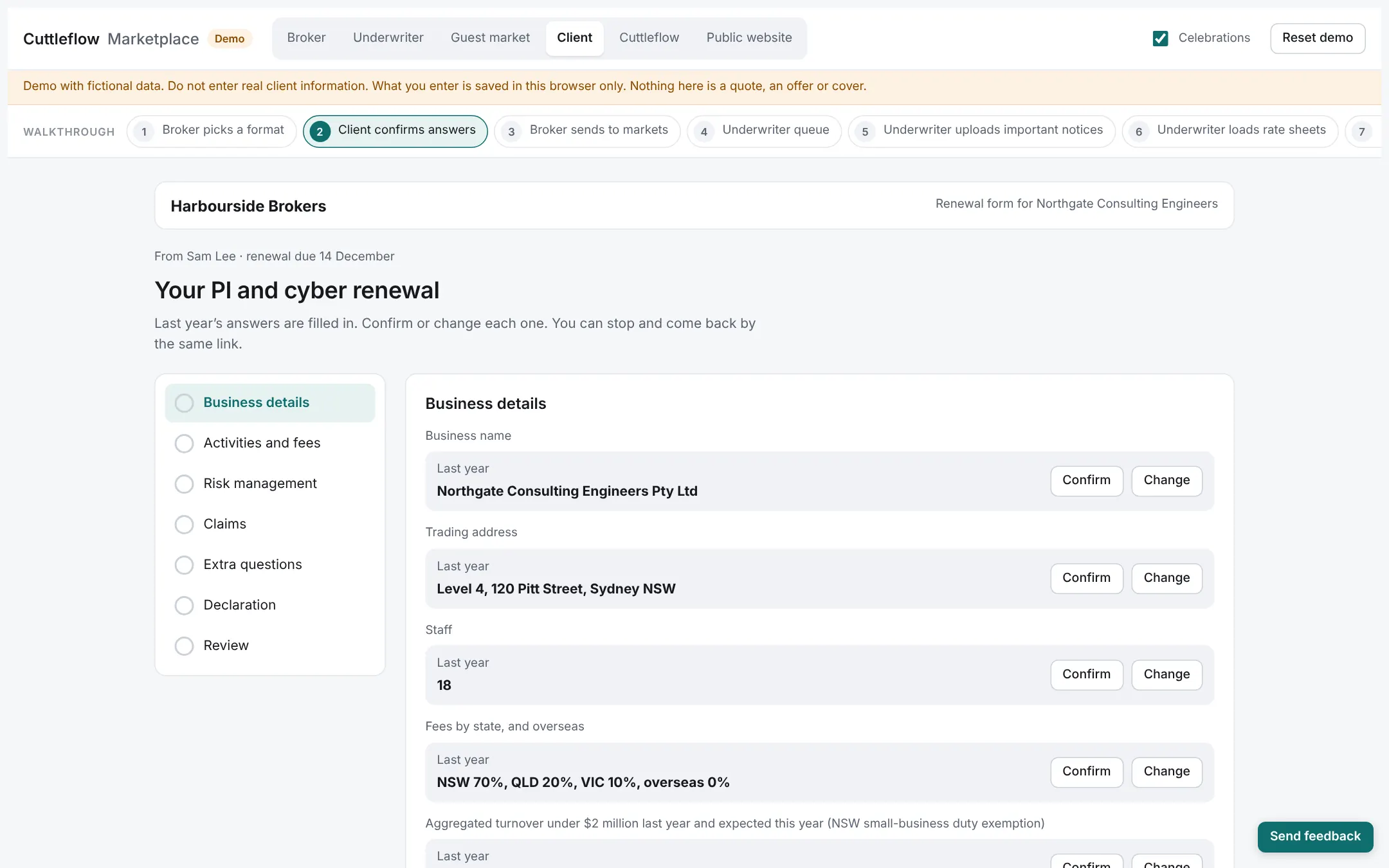
One application in your branding covers several covers. The client answers once; last year’s answers are prefilled for a renewal.
Underwriting agency
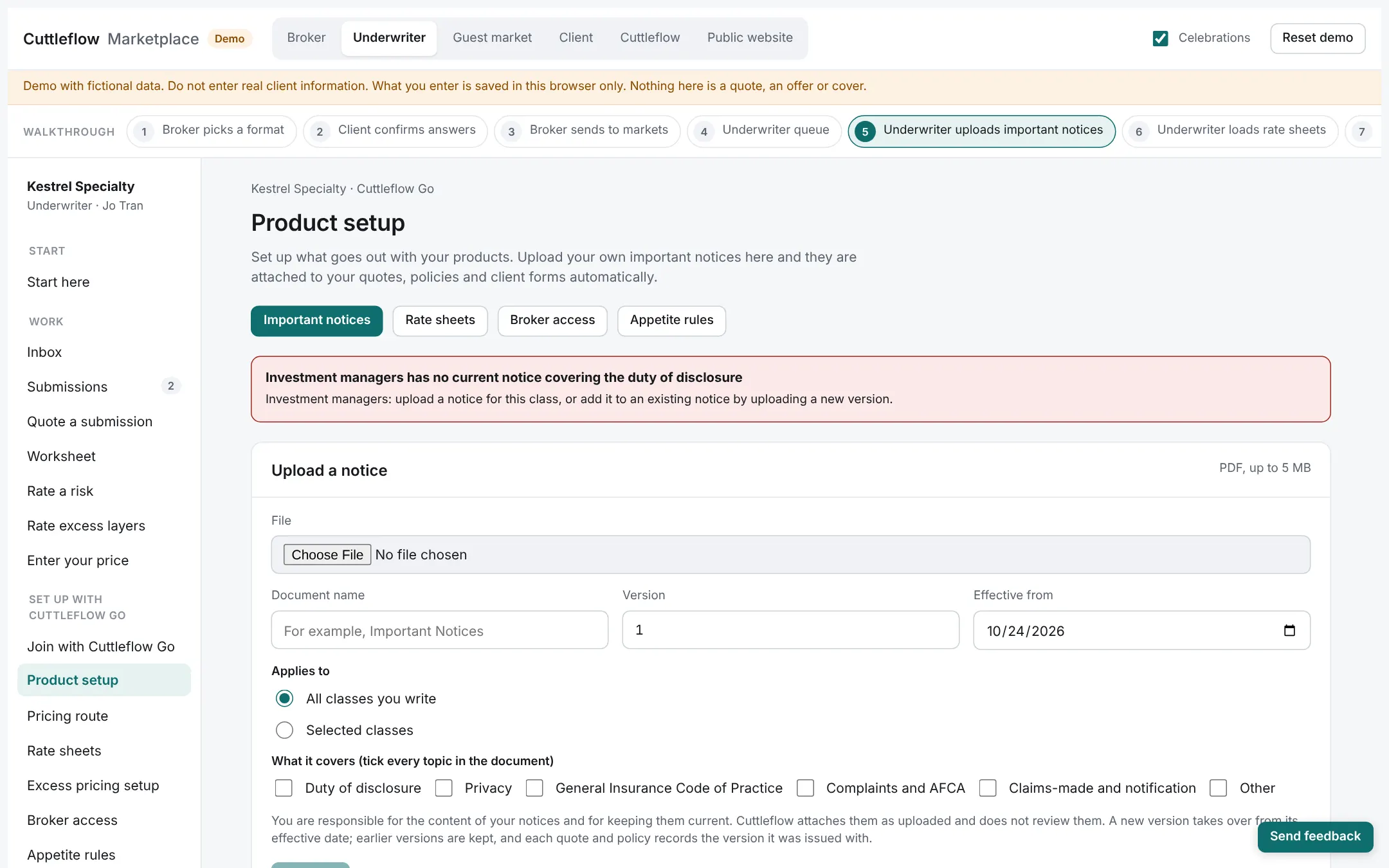
Your own important notices and documents travel with every quote, and your extra questions are asked only where a broker chooses you, each with its reason shown.
3. Access the market
In the demoBroker
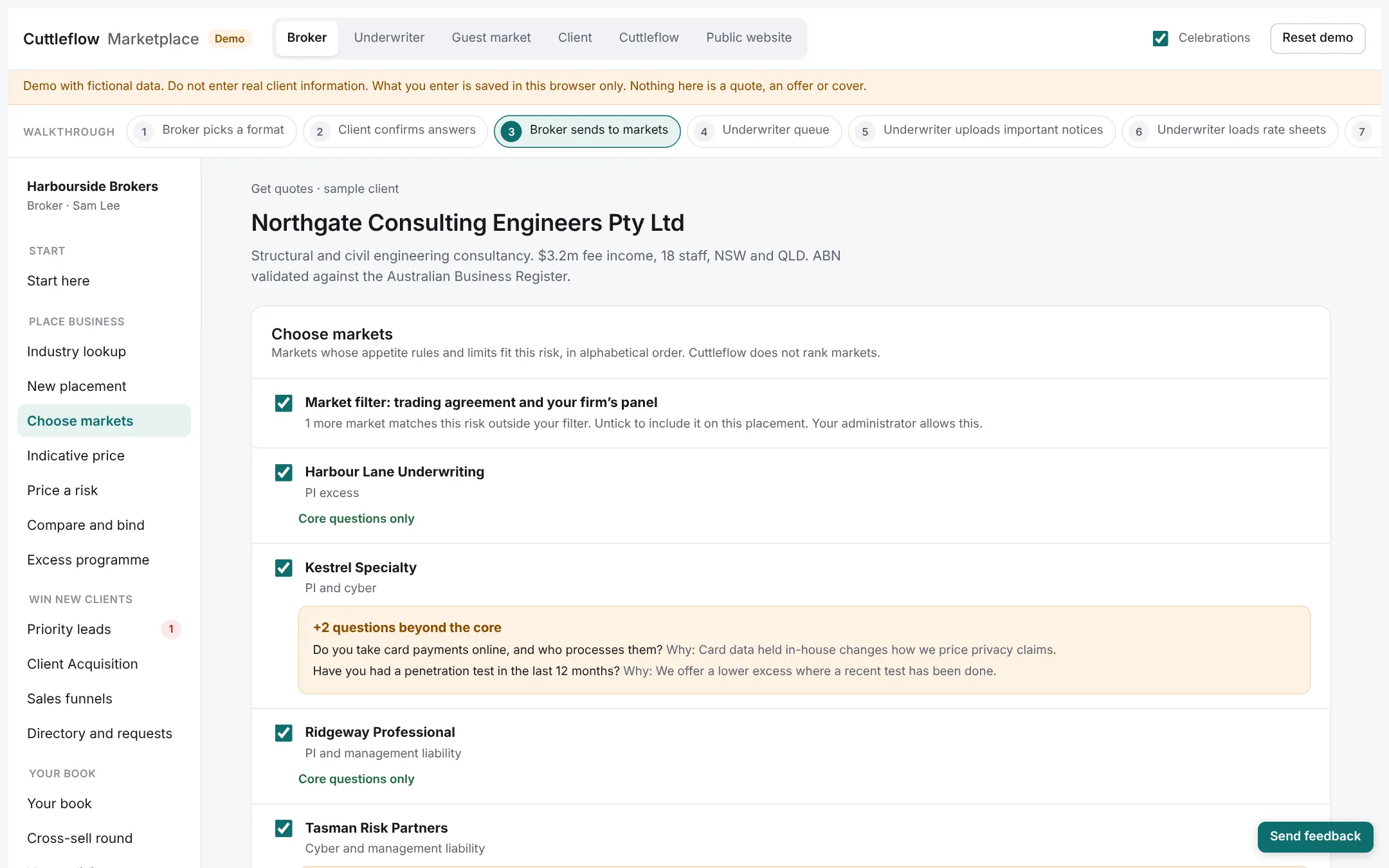
Every market whose rules accept the risk is shown. Choose them, add a guest market by email, and set a closing time.
Underwriting agency
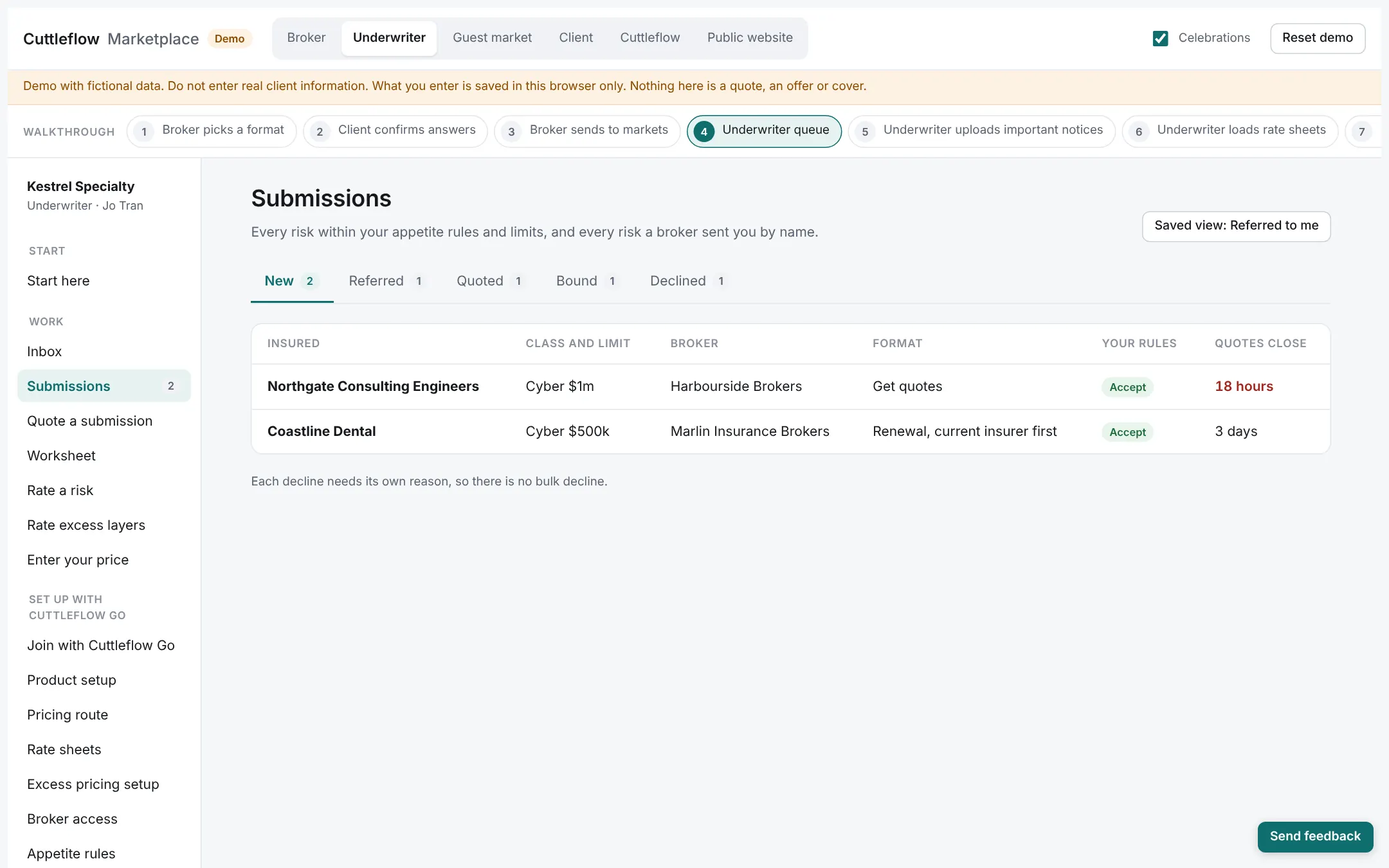
A complete submission arrives, already checked against your rules: in appetite, refer, or decline.
4. Compare terms
In the demoBroker
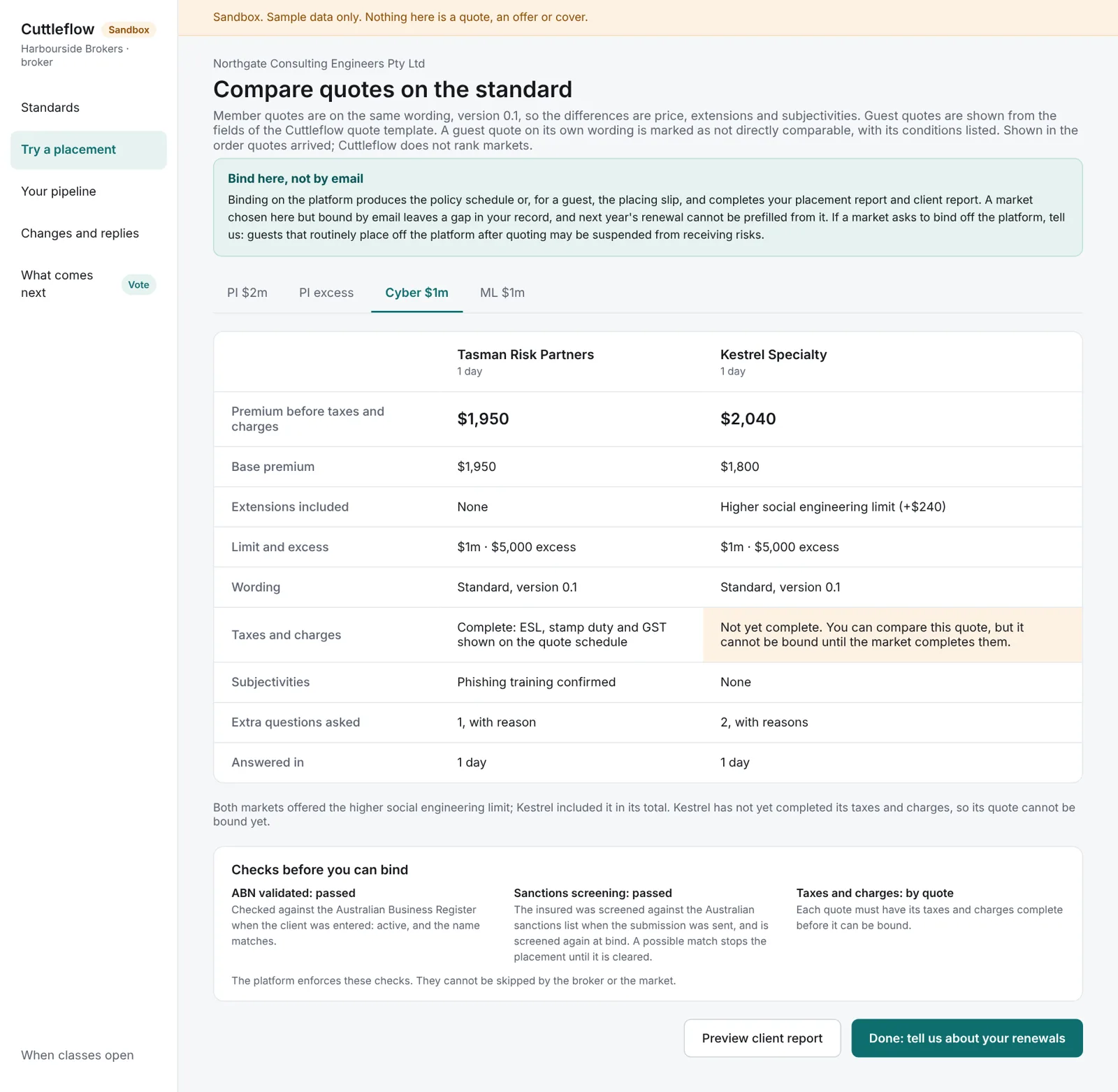
Quotes on the same wording side by side, so the differences are price, extensions and subjectivities.
Underwriting agency
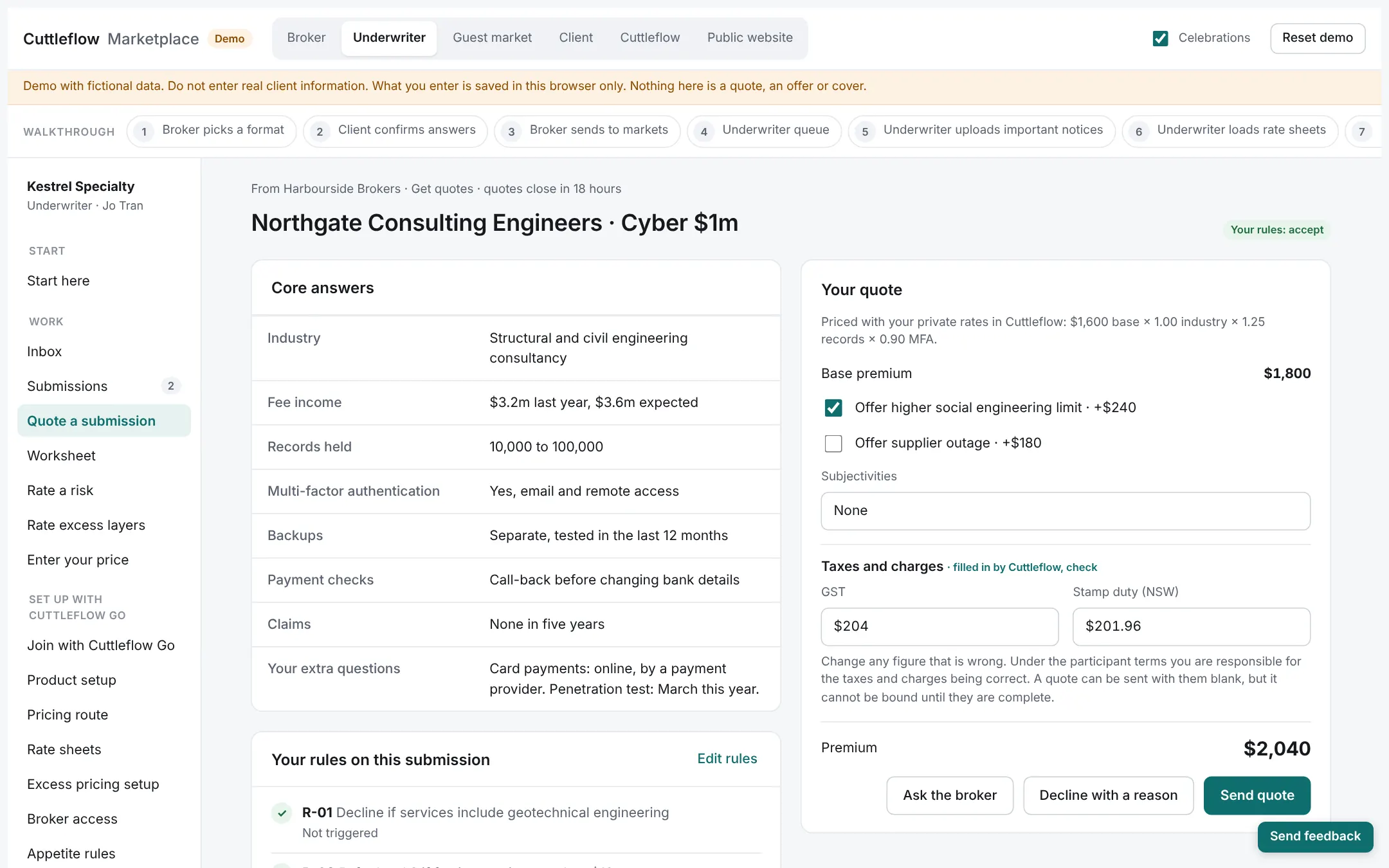
Risks inside your rules and authority are quoted automatically; the rest go to an underwriter to quote or decline.
5. Place the business
In the demoBroker
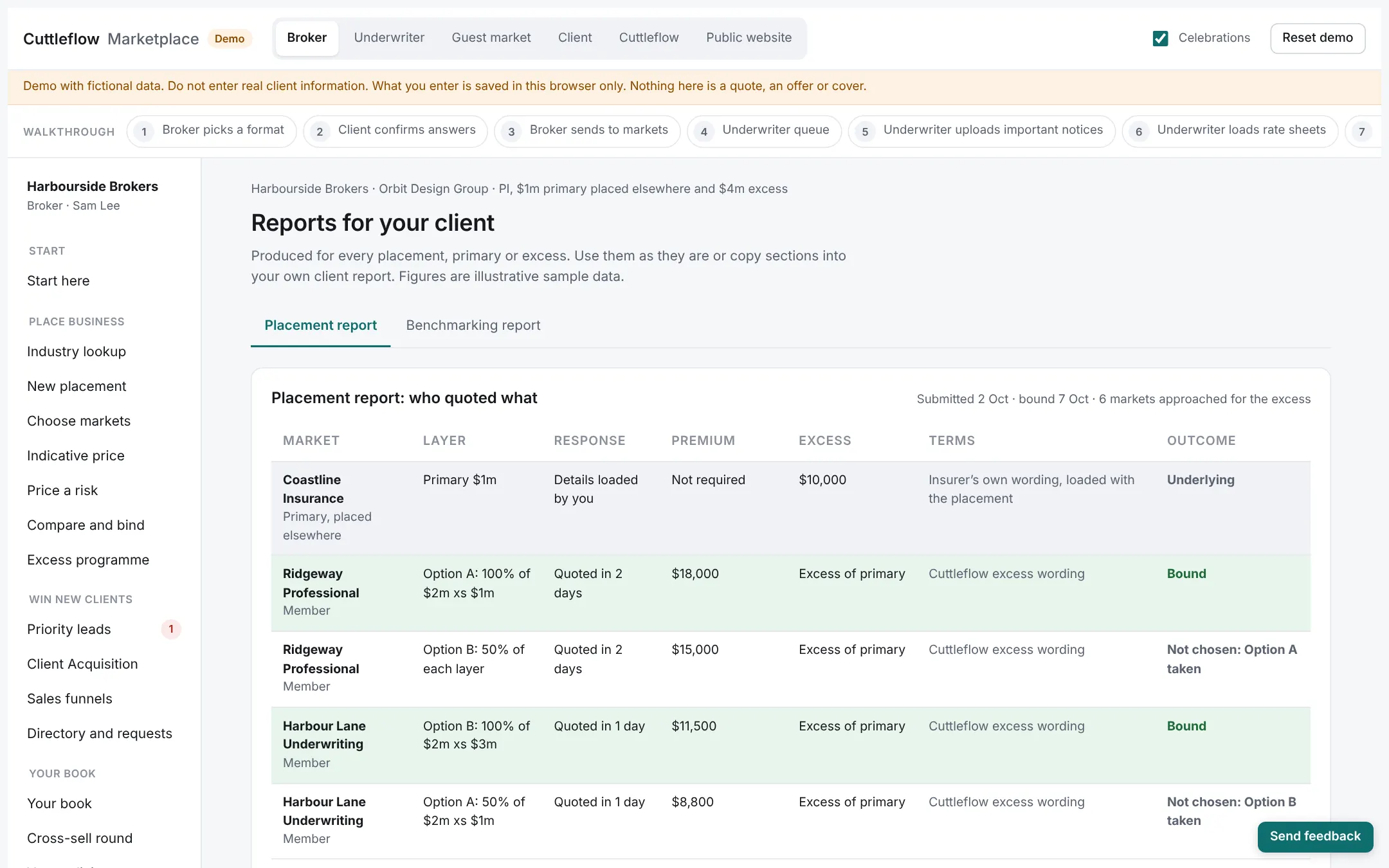
Bind on the platform. The schedules or placing slip, and the placement and client reports, come from the same record.
Underwriting agency
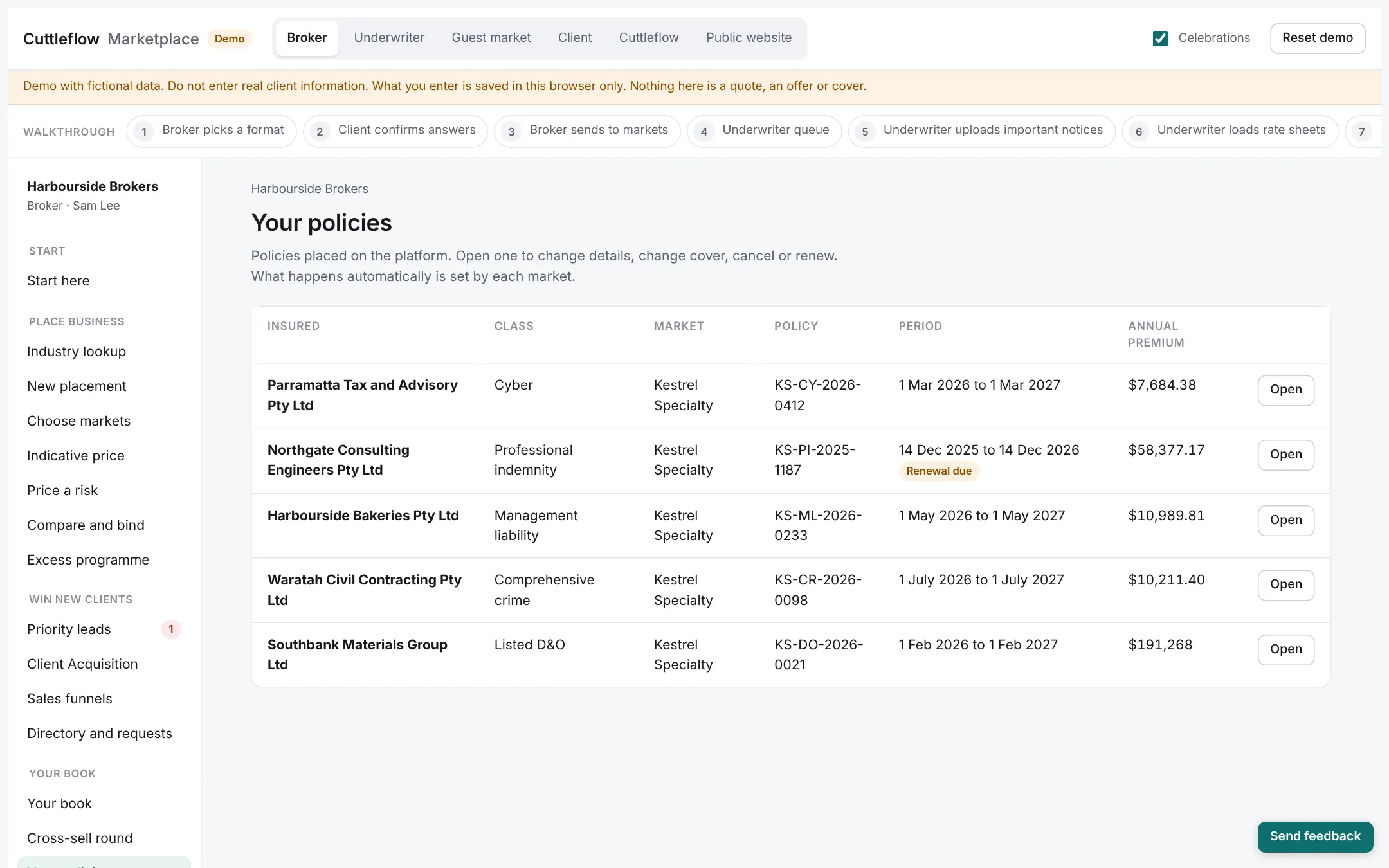
The bound policy, its documents and its bordereau line are produced from the same data. Changes during the year are priced and recorded the same way.
6. Grow the relationship
In the demoBroker
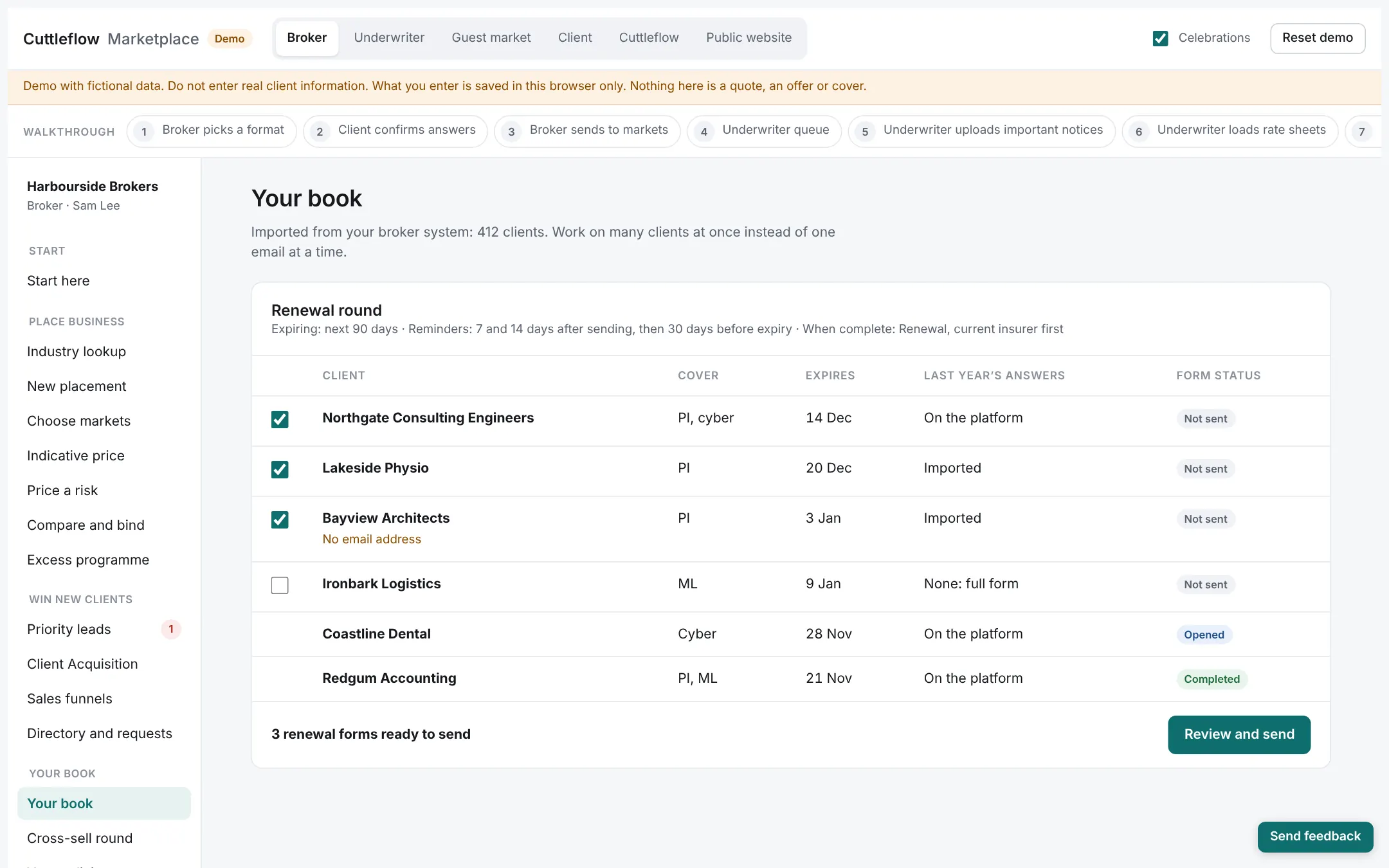
Renewal rounds prefilled with last year’s answers, cross-sell with indications across your book, and pipeline and conversion reports.
Underwriting agency
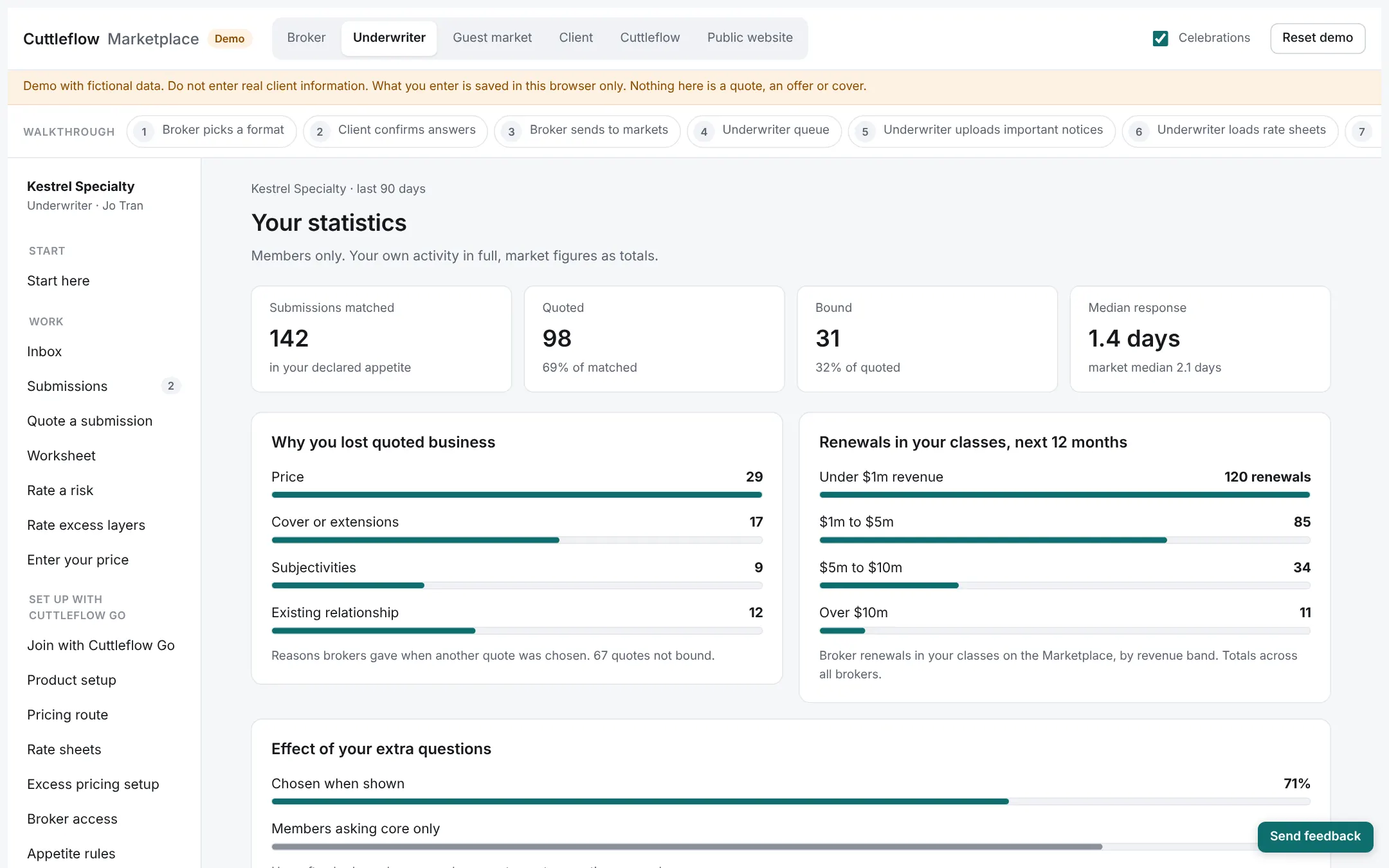
Submissions, quotes, binds, referrals, rate change and price adequacy, by class and by broker.
Try it yourself
The demo lets invited brokers and markets click through every screen, enter their own sample data and follow a risk from submission to bind. What you enter stays in your browser.